
Recover Deleted Messages App
Technoline AppsCommunication
4.2739.00 Reviews
- Version
- 920.0
- Installs
- 10.00M
- Age Rating
- Everyone
Screenshots
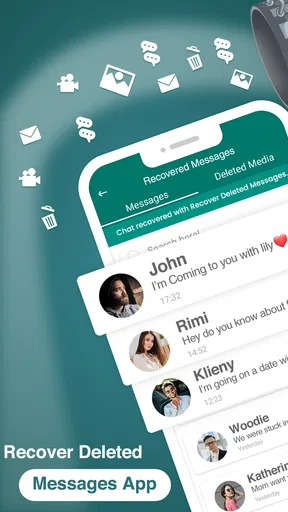




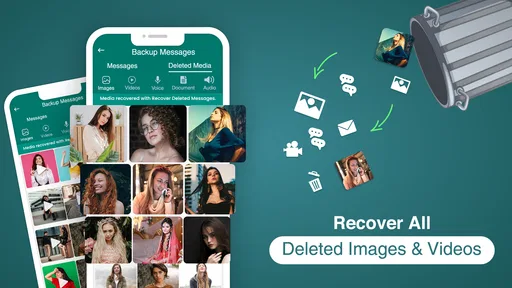
Our Review of Recover Deleted Messages App
 Analysis by Appyee
Ever had that sinking feeling when you accidentally delete a message that you really needed? I’ve been there too, and it’s not fun. That’s where the Recover Deleted Messages App comes into play. This nifty app promises to be your digital safety net, retrieving those lost messages with minimal hassle. Let’s dive into how it works and whether it’s worth your time and space on your phone.
Who benefits most from a message archive?
I’d consider this app most useful if you regularly receive practical details in chat—an address, a delivery instruction, a meeting time, or a short note you may need to check again. Its value is less about recovering an entire conversation and more about having a chance to revisit a message that disappeared after it reached your phone. That distinction matters: I would treat it as a backup for certain incoming messages, not as a complete history of every chat.
A realistic example is a friend sending a gate code while you are carrying groceries. You notice the notification, swipe it away without thinking, and later discover the message has been deleted from the chat. If the app was already set up and the message appeared in your notifications, its archive may give you something to refer to. If you install it only after the deletion, it cannot reach back in time to capture that message.
That makes preparation the key practical decision. If you want a safety net, install and configure it before you need one, then check that incoming notifications are visible to the phone. I would not wait for an important message to test the idea: try it with a harmless message first, and learn where the archive is and what it actually captures on your device.
Getting Started with Recover Deleted Messages
First things first, downloading and setting up the app is a breeze. Available on both Android and iOS, you can grab it from the respective app stores. Once installed, the interface is clean and quite intuitive, which is a huge relief if you’re not super tech-savvy like me. Just follow the straightforward prompts to grant necessary permissions, and you're good to go.
Readability and navigation
The user interface is where the app really shines. With a simple layout, it’s easy to navigate, even if you’re not particularly familiar with tech lingo. The main screen offers quick access to start the recovery process, view recovered messages, and manage settings. The design is minimalistic, focusing on functionality rather than flashiness. This makes it perfect for those who prefer a straightforward experience.
That simplicity is useful when you are looking for one specific item rather than exploring a complicated tool. I’d still take a moment to understand how the archive groups messages and where its settings live; a clean first screen does not automatically make every later step obvious. For someone who gets overwhelmed by dense menus, a focused layout can lower the effort involved in checking whether a message was captured.
There is also a trade-off in keeping the interface uncomplicated. A recovery tool can only show what it has been able to collect, so a tidy archive should not be mistaken for proof that every deleted message is recoverable. I’d use it as a quick place to check, then return to the original conversation or ask the sender to resend the information if the item is missing.
How it works—and what that means in practice
So, how does it actually retrieve those lost messages? The app works by accessing your device’s notifications. When a message arrives, it’s stored in the app’s archive, allowing you to recover it even if it’s deleted from the original app. This means that you need to have the app installed before the message is deleted, so it’s more of a preventative measure rather than a retroactive solution. Keep that in mind!
This notification-based approach is different from restoring a chat backup. A backup may bring back conversation history from a saved point, while this app’s usefulness depends on a message having appeared as a notification and been captured beforehand. If you already make regular backups and need a full conversation restored, the messaging service’s own recovery options are usually the more relevant place to start. If you only need a quick record of certain notifications, this app serves a different, narrower purpose.
For the best chance of getting useful results, I’d check notification settings for the messaging apps you care about and make sure message previews are allowed to appear. If a sender, group, or device setting suppresses notification content, there may be little for an archive to retain. The same is true when a message arrives while notifications are disabled or when the phone does not show its contents. These are not problems that a recovery screen can fix after the fact.
Motor, sensory, and everyday access
The straightforward layout may suit people who prefer fewer interface choices, but I would not assume that simplicity alone makes the app accessible for every person or situation. Someone who relies on screen magnification, a screen reader, voice control, or particular contrast settings should try the key steps on their own device: opening settings, granting access, locating an archived item, and reading its content. Those are the actions that matter most, and the experience can depend on the phone and its system settings.
Notification capture also has a sensory trade-off. Message previews can make an archive more useful, but visible text on a lock screen or in a notification area may expose private details to anyone nearby. If you often use your phone in a shared office, on public transport, or around family, consider whether the convenience of readable previews is worth that exposure. I’d keep sensitive conversations out of any workflow that makes their text visible where other people might glance at the screen.
For motor access, setup deserves more attention than the quick-start impression suggests. Permissions and notification choices may require several deliberate taps, and a user who finds small controls or repeated navigation difficult may want to configure the app with assistance first. Once configured, checking an archive may be simpler than recreating the setup, but I would test that routine before relying on it during a rushed moment.
Performance, reliability, and limitations
From my experience, the app performs smoothly without any noticeable lag. It efficiently retrieves messages without compromising your device’s speed, which is crucial for any app that runs in the background. I did some tests by deleting recent messages, and the retrieval process was seamless. The app quickly displayed the deleted content, saving me from what could have been a digital disaster.
The limitation I’d keep in mind is that a smooth archive is not the same as a guaranteed recovery service. It can only help with content it captured, and the notification route may not preserve every detail in every circumstance. If a message is important for work, travel, or an appointment, I would still save the key information somewhere appropriate or ask the sender to confirm it. For a full record, the chat app’s own history and backup tools are a safer first choice.
It is also sensible to avoid treating a recovery archive as a substitute for communication. If a deleted message contains an unclear instruction, the original sender can clarify what they meant; a captured fragment may lack the surrounding context. That is particularly relevant for group chats, where replies and edits can change the meaning of a short message. I’d use recovered text as a prompt to check, not as unquestionable evidence of the whole exchange.
Privacy, trust, and sensible use
In the age of privacy concerns, security is a big deal. Thankfully, the app takes this seriously. It doesn’t store any message data on external servers; everything remains on your device. This is reassuring, especially if you’re wary of apps that might misuse your personal information. Plus, you can set up additional security measures like passwords or fingerprint recognition to access recovered messages, adding an extra layer of protection.
Because the app handles notification content, I’d think carefully about whose messages might appear in its archive, not only my own. A shared phone or a device other people can unlock changes the privacy calculation. I would review the app’s access and protection settings after setup, and reconsider them if I lend out my phone or change how its lock screen displays notifications. The goal is to preserve useful information without creating a second, less private place for it to sit.
It is free to download, while in-app purchases range from $6.99 to $49.99 per item. I’d begin with the free experience and decide whether it actually captures the messages I care about before paying for anything. A paid option only makes sense if its terms and benefits match a real need; the mere possibility of recovering a deleted message is not a reason to spend without testing the basic workflow first.
Compatibility, alternatives, and support
Another thing I love about this app is its broad compatibility. Whether you’re on Android or iOS, it supports a wide range of messaging platforms. WhatsApp, Facebook Messenger, and even some lesser-known messaging apps are covered. If you ever hit a snag, the support team is responsive and helpful, which is a huge plus. They’ve got a decent FAQ section too, which can be a lifesaver if you’re trying to troubleshoot on your own.
The app is published by Technoline Apps and sits in the communication category. It has an average rating of 4.4 from around 100,000 ratings, with over 10 million installs. Its current version is 915.7, it was released on November 21, 2020, and it is rated for Everyone; devices need Android 7.0 or later. Those details make it a widely used option, but they do not change the practical test I’d apply: does it capture the notifications you actually receive on your phone?
Compared with relying only on a messenger’s built-in backup, this tool is aimed at catching individual notification content rather than restoring a broader chat history. Compared with taking screenshots or manually copying messages, it may save a step when an item has already been archived, though those manual methods give you more control over exactly what you keep. For a conversation you need to preserve in full, I’d prefer the messaging app’s own backup or export options where available. For a fleeting incoming detail, a notification archive can be more convenient.
Compatibility claims are worth checking against your own routine rather than assuming every app behaves identically. Send a test message from each service you care about, then delete it in the original chat and see whether the archived version contains what you expected. This simple check can reveal whether previews, group messages, or your notification settings affect the result, and it prevents you from discovering a mismatch when the message is genuinely important.
Who should skip it, and where barriers remain
I would skip this app if you expect it to recover messages that disappeared before installation, rebuild an entire deleted chat, or bypass notifications that never displayed message content. It is also a poor fit if you keep sensitive previews hidden for privacy and do not want to change that choice. In those cases, using the messaging service’s own backup tools, asking the sender to resend a message, or saving important details manually is more dependable for the job at hand.
Another possible barrier is that the setup asks you to make a privacy choice: notification access can be useful, but it means deciding how much incoming text you are comfortable having collected on the device. People who share a phone, use strict notification privacy, or need a guaranteed record for professional reasons should weigh that carefully. I would not rely on it as the sole archive for legal, medical, financial, or other high-stakes messages.
The app is best understood as a convenience layer, not a replacement for good communication habits or a robust backup plan. Keep a separate copy of essential instructions, confirm ambiguous details, and use the original chat’s tools when you need a complete history. That approach limits disappointment and makes the app’s narrower strength—checking previously captured notifications—clear.
Final thoughts
So, is the app worth it? If you’re someone who frequently deals with important messages and can’t afford to lose them, then absolutely. It’s like having a digital insurance policy for your messages. The app is reliable, secure, and easy to use, making it a fantastic addition to your digital toolkit.
In a world where our lives are increasingly digital, having a tool to safeguard our communications is invaluable. Give it a try and see for yourself how it can save you from those accidental deletions that we all dread.
An inclusive verdict
My overall view is positive for people who understand its limits and want a simple way to check notification history after a message vanishes. The uncluttered approach can help reduce navigation effort, and its everyday use case is easy to grasp. At the same time, real access depends on notification visibility, comfortable setup, and a privacy choice that will not suit everyone.
I’d recommend trying it with low-stakes messages first, especially if you rely on assistive settings or keep previews hidden. If the archive fits your way of using your phone, it can be a handy backup for small but useful details. If you need complete recovery, strong control over what is saved, or access without visible notifications, I’d choose a messaging app’s own backup or a deliberate manual record instead.
Verdict
Strengths of Recover Deleted Messages App
- Recovers deleted messages effortlessly.
- Supports multiple messaging apps.
- User-friendly interface design.
- Quick scan and recovery process.
- No root access required.
Limitations of Recover Deleted Messages App
- Limited free version features.
- Occasional recovery errors.
- Ads can be intrusive.
- Not all data recoverable.
- Requires internet connection.
Other Releases by Technoline Apps
View All
Smart TV Cast: Screen Share
Tools4.4
Similar Picks in This Category
View All
Google Messages
Google LLC4.6

Gmail
Google LLC4.1

Google Meet
Google LLC4.4

Google Chrome
Google LLC4.1

WhatsApp Messenger
WhatsApp LLC4.6

Carrier Services
Google LLC4.2
Frequently Asked Questions
How does the Recover Deleted Messages app work?
The Recover Deleted Messages app scans your device for traces of deleted messages and attempts to restore them. It uses advanced algorithms to identify recoverable data in various messaging apps. Once identified, it reconstructs the messages, allowing you to view and save them. The process is user-friendly and requires minimal technical knowledge.
Is my data safe while using the Recover Deleted Messages app?
Yes, your data is generally safe when using the Recover Deleted Messages app. It is designed to work locally on your device without needing to upload your information to external servers. However, it's important to ensure you download the app from a reputable source to avoid potential security risks.
Which messaging apps are supported by the Recover Deleted Messages app?
The Recover Deleted Messages app typically supports major messaging platforms like WhatsApp, Facebook Messenger, and SMS. However, support can vary depending on the app's version and your device's operating system. It’s advisable to check the app’s description for a detailed list of supported platforms before downloading.
Can the app recover messages that were deleted a long time ago?
The ability to recover messages depends on various factors, including how long ago they were deleted and how much new data has been written to your device since. The longer you wait, the less likely the messages can be recovered due to data being overwritten. It's best to use the app as soon as possible after deletion.
Do I need to root or jailbreak my device to use the app?
No, you typically do not need to root or jailbreak your device to use the Recover Deleted Messages app. Most versions are designed to work on standard Android and iOS systems. However, some advanced features might require additional permissions or settings adjustments, which are explained within the app itself.
